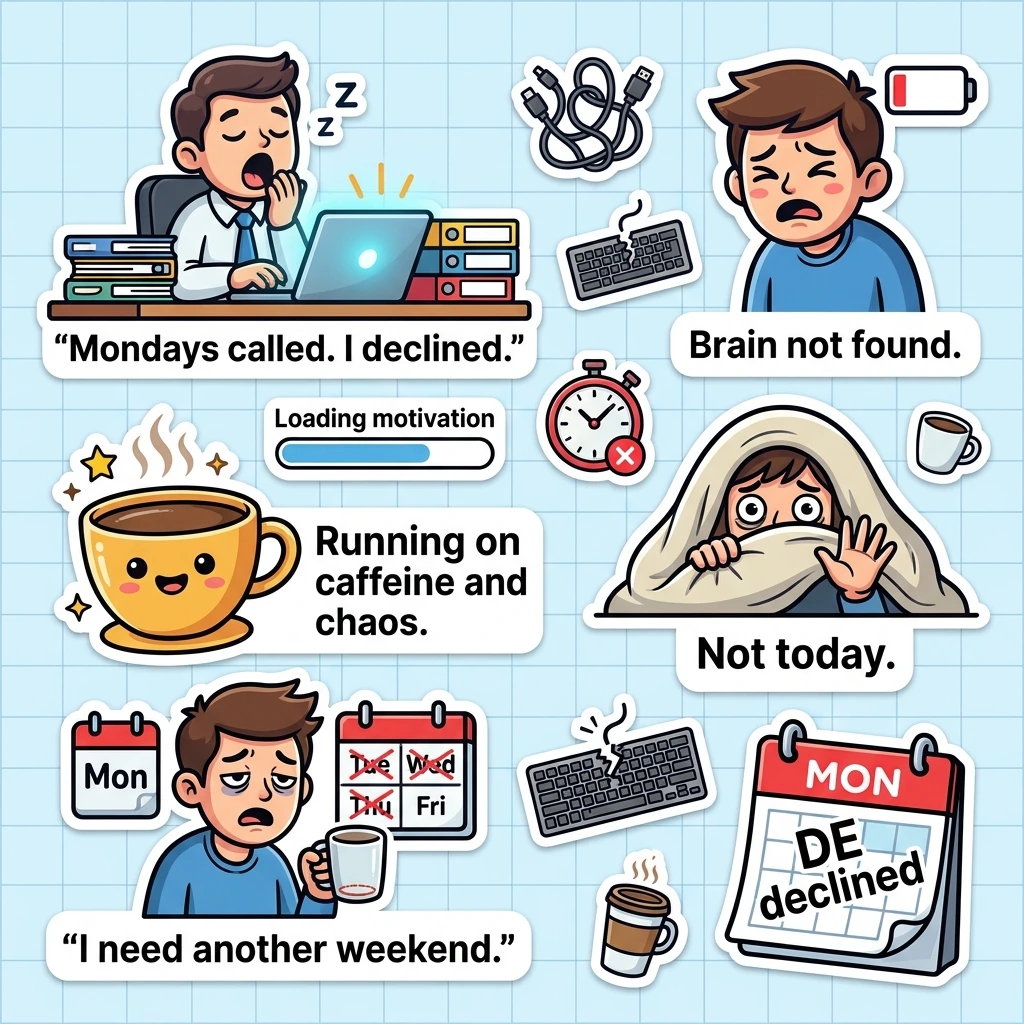
A plain text can fall flat fast. A thumbs-up reply rarely gets a laugh.
Funny stickers for iPhone messages fix that. They say what you feel in one tap, and they work on iPhone, iPad and Mac. Below you’ll find 150 ready-to-send captions and a quick guide to making your own.
Best Funny Stickers for iPhone Messages

Funny iMessage stickers add tone, timing and personality to a chat. Here is what to know before you send your first one.
Stickers are not the same as emojis. They are larger and more expressive, and you can place them on a message bubble. Apple’s guide to sending stickers in Messages shows where they live. Tap the plus icon next to the text field, then tap Stickers.
Most funny iPhone stickers fall into four types:
- Meme stickers copy a popular joke or format.
- Emoji stickers are large, animated versions of faces you already know.
- Text stickers put a bold phrase right on the image.
- Reaction stickers show a mood, like side-eye or a happy dance.
To use one, tap it to send. You can also drag it onto a bubble, resize it, or layer it with others. You and your friends need iOS 17.2 or later to see the newest sticker updates, per Apple. Older phones may show them differently. Android users and plain SMS chats may not see them at all.
Pick the sticker by the audience:
- Close friends can take sarcasm and roasts.
- Family chats suit cute and wholesome stickers.
- Coworkers need light, safe humor.
- Partners love playful, flirty ones.
Funny stickers make everyday conversations more expressive, but some moments call for words that come straight from the heart. When you want to honor someone you’ve lost and keep their memory alive, these heartfelt death anniversary messages offer meaningful ways to express love, remembrance, and eternal connection.
150 Funny iMessage Stickers to Send in Any Chat
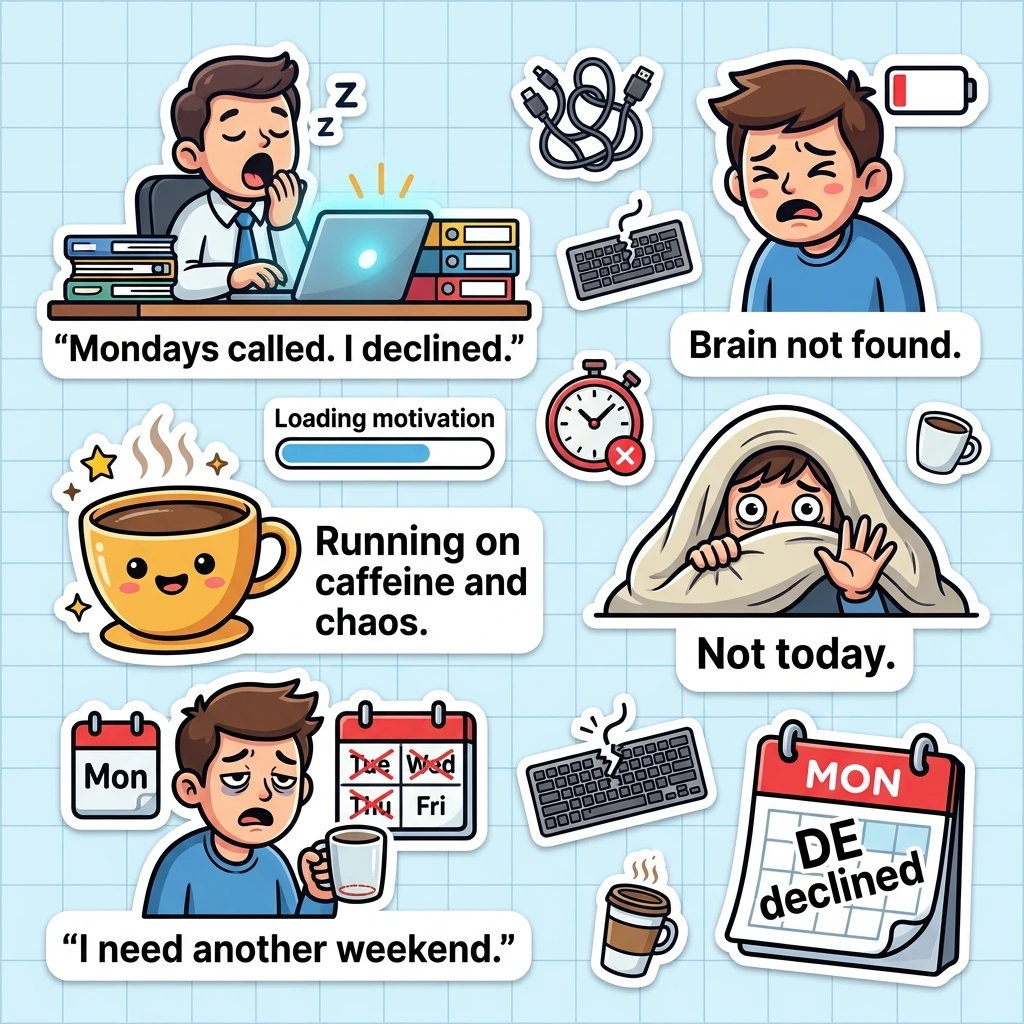
These funny text message stickers are short, punchy and easy to turn into stickers. Copy any caption and use it in your next chat or sticker design.
Sarcastic and sassy replies
Oh, I’m sorry. Did I interrupt your lecture?
Wow, what a plot twist. Nobody saw that coming.
I’m not ignoring you. I’m just busy being unavailable.
Sure, let me drop everything for that.
Sounds fake, but okay.
Thanks for the update nobody asked for.
Your opinion has been noted and ignored.
I’d agree with you, but then we’d both be wrong.
Brilliant idea. Terrible, but brilliant.
Please hold while I pretend to care.
Cool story. Tell it again when I’m paying attention.
I’m fine. Totally fine. Nothing to see here.
Is it just me, or is this a bad idea?
Bold of you to assume I read the whole text.
Congratulations, you played yourself.
Work and “pretending to be productive”
Me, looking busy while doing absolutely nothing.
This meeting could have been an email.
Per my last text, no.
Loading motivation, please wait.
Currently in a full-time relationship with my coffee.
Working hard or hardly working? Yes.
My inbox called. I let it go to voicemail.
Just circling back to ignore this again.
I’ll do it after one more scroll.
Out of office, out of mind.
Deadline? I barely know her.
Typing important things. Mostly snacks.
Teamwork makes the dream work, but I’m napping.
Friday, please come faster.
Remote work means pants are optional.
Coffee, Monday and tired-mood
Monday called. I declined.
No coffee, no conversation.
I woke up like this. Regrettably.
Running on caffeine and chaos.
Five more minutes turned into five more hours.
My bed and I have a very close bond.
Tired is my default setting.
Is it nap time yet?
Do not talk to me before coffee number two.
Sleep is my favorite hobby.
My energy level today is a low battery warning.
Adulting is hard. Can I return it?
Brain not found. Please restart.
I need a vacation from my vacation.
Mornings should be illegal.
Group chat reactions
Okay, who’s bringing the snacks?
Reading this chat like a soap opera.
Dropping in just to say I saw everything.
Sorry, I was busy living my life.
Plot twist: the group chat was the real friend all along.
Who invited chaos? Oh, it’s me.
Muting this chat for my own peace.
Rise and shine, group chat. I have gossip.
Don’t @ me unless there’s pizza.
Everyone is typing. No one is saying anything.
I’ll just leave this here and walk away.
Group chat at 2 a.m. hits different.
Late to the chat, but right on time for the drama.
Can someone summarize the last 400 messages?
Your reply was worth the wait. Barely.
Funny cat and dog stickers
Me, when I think about my life choices.
The cat knocked it over. So did I.
Dog mode: activated. Treats required.
My dog understands me better than people do.
Cat logic: if it fits, I sit.
Zoomies loading, please stand back.
Sorry, I can’t. My cat is sitting on me.
This is my judgmental cat face.
Wagging my tail because you texted.
Blanket burrito with a side of existential dread.
Who let the dogs out? Not me, I’m napping.
Purr-fectly fine, thanks for asking.
Cat says no. Final answer.
I only get up for snacks and walks.
Fur real, I’m so tired.
Meme-style stickers
Tiptoeing past my responsibilities.
Not sure if I’m tired or just done.
This is fine. Everything is fine.
Me, explaining why I’m late again.
Brain at 3 a.m.: remember that awkward thing from 2012?
Nobody: absolutely nobody. Me: texting back instantly.
Expectation versus reality, and reality won.
When the Wi-Fi drops, so does my mood.
Me waiting for the weekend like a loyal fan.
Not me checking my phone every two seconds.
When someone says “we need to talk.”
That awkward moment when the message sends twice.
Me on a diet, then the pizza arrives.
The audacity of this text message.
I came, I saw, I screenshotted.
Friends and roasting
You’re my favorite mistake.
Friends don’t let friends text their exes.
You laughed at my joke. We’re basically married.
I’d take a bullet for you, but not a Monday.
Your taste in music is a cry for help.
You’re the reason my group chat exists.
I love you, but please stop talking.
You owe me snacks for that terrible idea.
Best friend, worst influence.
I’ll love you even when you reply late.
Your outfit is brave. I respect it.
We’re not weird. We’re limited edition.
Calling you out with love and a little sass.
Thanks for being the chaos to my calm.
Still thinking about that dumb thing you said.
Couples and relationship humor
You’re my favorite notification.
I love you more than my last slice of pizza.
Come cuddle me. I’m cold and dramatic.
Text me back, babe. I’m bored.
Being with you is my favorite plot twist.
You’re stuck with me. No refunds.
I’d share my fries with you. That’s love.
Thinking of you, and also dinner.
You had me at “I’ll order the food.”
Your side of the bed is mine now.
I miss you more than my phone misses a charger.
You make my heart do a happy dance.
Date night? I’m wearing sweatpants.
You’re the Wi-Fi to my phone.
I like you a latte.
Cute but funny stickers
Hugs and snacks, please.
Sending you good vibes and bad jokes.
You’re berry special to me.
Stay pawsitive, friend.
Brb, being adorable.
You’re one in a melon.
Sprinkle some kindness on your day.
Just a little reminder that you’re awesome.
Sending you a virtual cookie.
You make my day a little brighter.
I’m bear-ly awake, but I love you.
Smile, it confuses people.
Have a fan-tas-tic day.
Hello, sunshine. Time to shine.
Don’t worry, be hoppy.
Holiday, birthday and weekend vibes
Happy birthday! Another year of being fabulous.
Cake first, questions later.
Weekend mode: on.
Let the holiday snack parade begin.
Congrats, you’re officially old and wise.
Can’t talk, I’m eating leftovers.
Friday night plans: couch and pizza.
Spooky season has my full attention.
Thankful for snacks, naps, and you.
Merry everything, and happy always.
Another trip around the sun, another cake.
Cheers to the freaking weekend.
Sunday scaries, go away.
Party like it’s the last slice of cake.
Out of office until the holidays end.
How to Make Funny Meme Stickers for iPhone Messages

You can build funny meme stickers for iPhone messages in under a minute. You only need a photo and a joke.
How do you make funny stickers on iPhone? Open Messages and tap the plus icon. Tap Stickers, then the plus button, then pick a photo. Tap Add Sticker to save it. You can also open Photos, touch and hold the subject until it lifts, and tap Add Sticker. Apple walks through the same steps in its guide to creating Live Stickers.
Can you make a moving sticker? Yes. Pick a Live Photo to get an animated Live Sticker. A Live Photo records about 1.5 seconds of video before and after the shot, and the sticker loops that motion, as GadgetHacks explains.
Can you change how a sticker looks? You can add effects. BGR lists Shiny, Puffy, Comic and Outline.
Use these tips for better results:
- Pick a clear subject with a plain background.
- Choose big, exaggerated faces, because they read well when small.
- Use bold lettering and high contrast for text stickers.
- Add a caption from the list above in Markup.
- Keep jokes inside your circle, like pets, friends and family.
Ask permission before turning someone else’s photo into a sticker. Also check that sticker packs from the App Store are free, or that you are comfortable with the price.
FAQs
What are the funniest stickers for iPhone?
The funniest stickers for iPhone are usually meme stickers, sarcastic text stickers and animal reaction stickers. Cats, dogs and relatable “tired at work” captions land best in group chats. Funny always depends on your crowd, so match the sticker to the chat.
How to make funny stickers on iPhone?
Open Messages, tap the plus icon, tap Stickers, and tap the plus button. Pick a photo, then tap Add Sticker. For a moving sticker, choose a Live Photo. Add an effect or a caption to make it funnier.
What are some cute stickers for iPhone messages?
Cute stickers for iPhone messages include Memoji stickers, animal faces, food puns and soft phrase stickers. Examples are “You’re berry special to me” and “Hugs and snacks, please.” They suit family, friends and partners.
Conclusion:
The right sticker turns a dull reply into a small joke. Pick one that fits the chat, send it, and watch the reaction roll in.
Try a few from the list, then make a custom iMessage sticker of your own.

Timmy Abu Zar is the writer and voice behind CondolenceMessages.com, dedicated to helping people find comforting words during life’s most difficult moments. With a deep respect for the many ways people grieve and remember, Timmy writes thoughtful, sincere messages and guides to support readers through loss, no matter their background or beliefs.